
 EN
EN  ES
ES  IT
IT  FR
FR Stay in control of your job hunt with our job tracker
Organize, track, and manage all of your job applications in just one place
Trusted by over 10,000 professionals
Track your job applications to apply to the best companies to work for







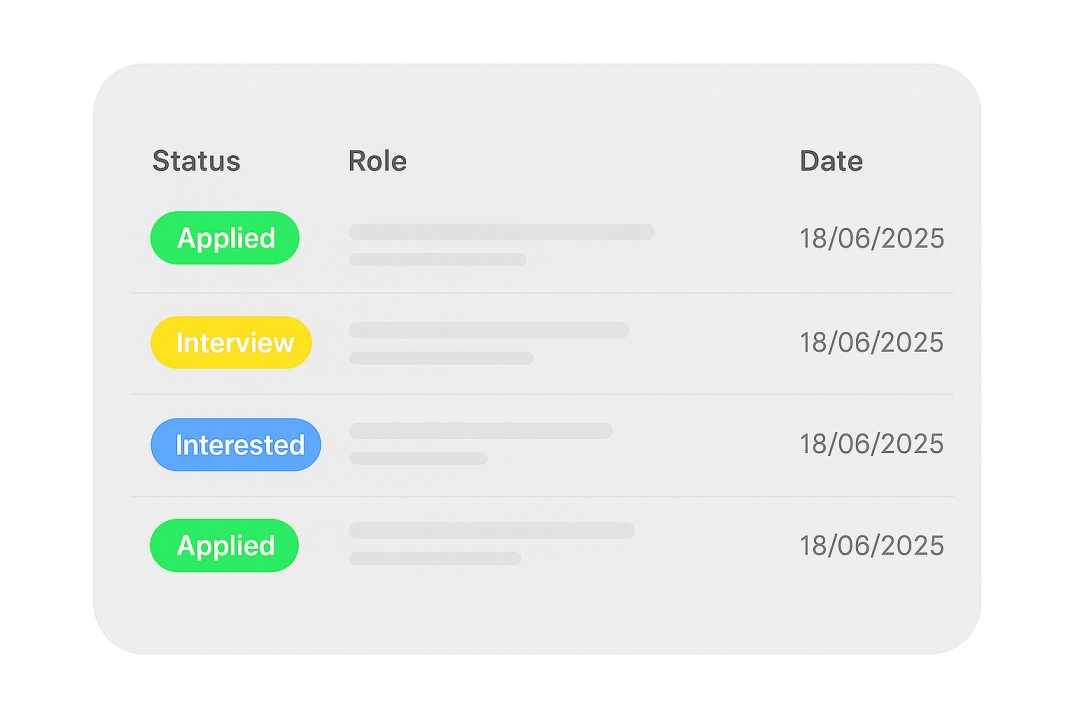
Stay organized with a visual Job Tracker
- Organize all your job applications by status
- Track each opportunity startus from applied to offer
- Always know what’s next in your job hunt
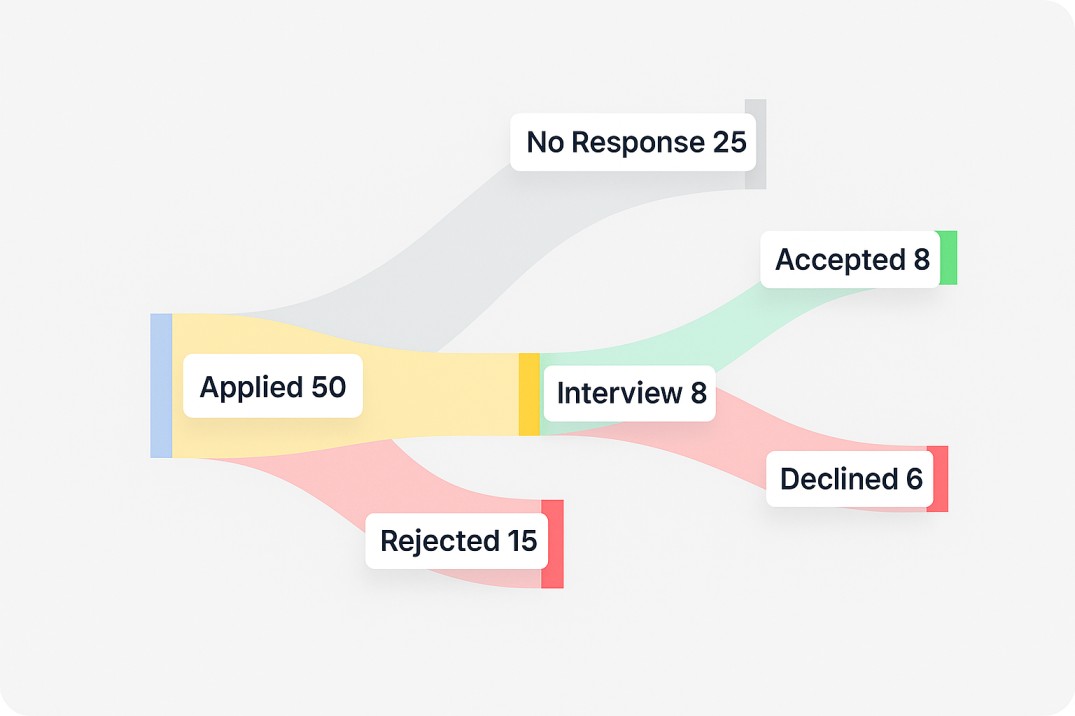
Track your progress and performance
- See how many jobs you've applied to and where you stand
- Monitor interviews, follow-ups, and offers in one place
- Spot trends and adjust your strategy with ease
Manage all your application resources in one place
- Store resumes and cover letters for each job
- Keep everything ready for interviews
- Access all your applications from one place
Tired of applying with no results? Choose your plan
FREE
No credit card required
- 1 Job Application Free
- AI Application kit
- Job-specific Resume
- Cover Letter Generator
- Skills Match Insights
- Skills Match Insights
- Interview Preparation
- Job Tracker
- No credit card required
WEEKLY
7
/week
50% off
- Up to 15 applications
- Job-specific Resumes
- AI Cover Letter Generator
- Skills Match Insights
- Linkedin Profile Review
- Interview Preparation
- AI Application kit
- Job Tracker
- 7-day money back guarantee
MONTHLY
19
/month
50% off
- Up to 100 applications
- Job-specific Resumes
- AI Cover Letter Generator
- Skills Match Insights
- Linkedin Profile Review
- Interview Preparation
- AI Application kit
- Job Tracker
- 7-day money back guarantee
QUARTERLY
49
/quarter
50% off
- Up to 500 applications
- Job-specific Resumes
- AI Cover Letter Generator
- Skills Match Insights
- Linkedin Profile Review
- Interview Preparation
- AI Application kit
- Job Tracker
- 7-day money back guarantee
Lifetime Access
/forever
50% off
- Up to 100 applications/month
- AI Application Kit
- Skills Match Insights
- AI Cover Letter generator
- AI-powered resume builder
- Interview questions and answers
- Job Tracker
- Lifetime access
- Priority support
- 7-day money back guarantee
Frequently Asked Questions
1. What does the JobWinner Job Tracker do?
The Job Tracker organises every job you apply to in one place and connects each application to the rest of the JobWinner tools. From any role inside the tracker you launch the tailored resume, the cover letter, and the interview prep with one click, all already loaded with the role context. Applications are grouped by stage so you always know what each opportunity needs next. The tracker is the operating layer underneath your job search, sitting on top of every other tool in the JobWinner toolkit.
2. What stages can I assign to a job application?
The Job Tracker uses five stages that cover the full journey of a job application: Interested, Applied, Interview, Offer, and Discarded. You move an application from Interested when you spot a role you want to pursue, to Applied once you have submitted, to Interview when the company schedules a conversation, and to Offer or Discarded depending on the outcome. The five-stage structure is intentionally simple so you spend time applying and preparing, not configuring your tracker. Every stage is visible in both list and Kanban views.
3. How do I add a job to the Job Tracker?
You add a job by entering the role title and the company name, and the tracker creates the application card in your pipeline. The creation date is saved automatically so you can always tell when you started pursuing each role. Manual entry keeps your tracker focused on opportunities you have actively decided to chase. From that moment, the role is ready to receive a tailored resume, a cover letter, and interview prep from the rest of the JobWinner tools.
4. What views does the Job Tracker support?
The Job Tracker offers a list view and a Kanban view, and you switch between them with one click. List view is best when you want to scan a long pipeline, sort by date, or update many applications quickly. Kanban view is best when you want to see your pipeline visually and understand at a glance how many roles sit in each stage. Both views show the same data, so any change you make in one is reflected in the other.
5. Can I search and filter my applications inside the Job Tracker?
Yes, the Job Tracker has a search bar and a stage filter that work in both views. The search bar matches role title and company name, which is useful once your pipeline grows and you want to jump straight to a specific application. The stage filter lets you focus on one phase of your job search at a time, like showing only the roles you are currently interviewing for. Search and filter combine, so you can search inside a single stage when needed.
6. Does the Job Tracker connect with the other JobWinner tools?
Yes, the integration with the rest of the JobWinner toolkit is the core differentiator. From any job inside the tracker you launch Resume Tailoring, the Cover Letter Generator, and Interview Preparation in one click, with the role context already loaded into each tool. The tools work as one connected flow with the tracker, so you never re-enter the same job description or company name twice. This is what shortens the time from spotting a role to submitting a strong application.
7. What metrics does the Job Tracker show me?
The tracker shows three metrics about your job search: number of applications, response rate, and interview rate. Number of applications tells you how active you are. Response rate tells you how often your applications get a reply from a recruiter or hiring manager. Interview rate tells you how often a response converts into a real conversation. Together these three numbers give you a fast read on whether your search is on track or whether something needs to change.
8. Is the JobWinner Job Tracker free?
Yes, the Job Tracker has a free tier you can use without paying. Paid plans unlock the full JobWinner toolkit and let you scale the integration with the tracker for as many applications as you need. You can start tracking applications immediately on the free tier and upgrade only when you scale your job search.
9. Can I move applications between stages in the Kanban view?
Yes, the Kanban view supports drag-and-drop, so you move an application from one stage to the next by dragging its card to the new column. This is the fastest way to update your pipeline after an action: drag a role from Applied to Interview when the company schedules a call, or to Offer when the offer arrives. The list view supports the same status change with a dropdown if you prefer keyboard navigation.
10. Are tailored resumes and cover letters saved with each job?
Yes, every tailored resume and cover letter you generate from inside a job stays associated with that application. When you reopen the job in the tracker, the assets you used are there, ready to send again or to use as the starting point for a similar role. This means you can always go back and reuse or adjust your materials when a recruiter asks for an updated version. The same association extends to the interview prep you generated for that role.
11. What is the recommended workflow inside the Job Tracker?
Add a role you are interested in, mark it as Interested, and use the integrated tools to prepare: tailor a resume, generate the cover letter, research the company, and prep the interview. Move the role to Applied once you submit, then to Interview, Offer, or Discarded as the process unfolds. Each tailored asset stays linked to the role, so you can always reuse or adjust your materials. This is the workflow most users settle on, because every JobWinner tool is one click away from the job card.
12. How is the JobWinner Job Tracker different from a spreadsheet?
The Job Tracker is connected to your resume, cover letter, and interview prep, which a spreadsheet is not. Spreadsheets work for pure logging, but they do not let you launch a tailored resume or interview prep for a specific role from inside the row. The tracker also includes the response and interview rate metrics out of the box, so you do not have to build the formulas yourself.
Create tailored cover letters, resumes, and much more with our AI tools
Join the ranks of successful job seekers hired thanks to JobWinner AI tools