ES
ES  EN
EN  IT
IT  FR
FR 
So, what exactly is an ATS resume checker? Think of it as a practice run for your resume before it faces the real deal. It scans the text of your resume y luego scores it against the job description you're aiming for. This whole process is designed to predict whether your application is a good enough match to land in front of a real person.
Your Resume's First Hurdle: The Digital Gatekeeper

Before a hiring manager ever lays eyes on your resume, it has to get past a silent, digital judge: the Applicant Tracking System (ATS). Imagine it as a bouncer at the door of your dream job. Its only job is to manage the flood of applications by checking them against the "guest list"—the specific requirements laid out in the job description.
With the rise of AI hiring tools, getting a feel for how this software "thinks" isn't just helpful; it's absolutely essential.
At its heart, the system does two main things:
- It parses your resume. This is a fancy way of saying it reads all the text, strips away any pretty formatting, pictures, or columns, and breaks it down into raw data it can understand.
- It ranks your resume. The software then compares the words and phrases from your resume to the keywords in the job description, calculating a match score.
Here's the frustrating part. You could be the most perfect candidate for a job, but if your resume isn't written for the machine first, it might get tossed before a human ever sees it. In fact, a staggering 75% de currículums are rejected by an ATS. And by 2026, con 99% de las empresas Fortune 500 expected to use this software, it's clear that beating the bot is the first step in any modern job search.
Why Most Resumes Get Filtered Out
The tough truth is that many qualified people get filtered out because of simple, easy-to-fix mistakes. An ATS isn't judging your potential or your amazing work ethic; it's just a piece of software running a technical scan. If that scan fails for any reason, your application is archived. Poof. Gone.
To get past this digital gatekeeper, you first have to understand why it rejects people. For a full breakdown, you can learn more about what an Applicant Tracking System is in our detailed guide.
Heads Up: The purpose of an ATS isn't to find the best candidate. Its main job is to filter out the least qualified—or more accurately, the least-optimized—applications to lighten the load for human recruiters.
So, what are these common resume-killing mistakes? We’ve put together a list of the most frequent reasons an ATS will automatically reject an application.
The ATS Gauntlet: Common Reasons for Rejection
This table breaks down the most frequent reasons a resume is automatically filtered out by an ATS, helping you understand the critical pitfalls to avoid.
| Rejection Culprit | Why It Happens | The Impact |
|---|---|---|
| Complex Formatting | The ATS parser can't read tables, columns, or graphics. It sees your beautiful resume as jumbled, nonsensical text. | Key information about your skills and experience gets lost, resulting in a rock-bottom match score. |
| Keyword Mismatch | Your resume is missing the specific job titles, skills, and qualifications mentioned in the job posting. | The system decides you aren't a match, even if you have the right experience but described it with different words. |
| Non-Standard Headings | Using creative section titles like "My Journey" or "Where I've Been" instead of "Work Experience" confuses the software. | The ATS can't categorize your work history correctly, which often means that whole section becomes invisible to the scan. |
| Incorrect File Type | Submitting your resume as a .jpg, .png, or even certain types of PDF files that the system can't process. | Your application is immediately discarded. If the software can't read it, it can't rank it. Simple as that. |
Avoiding these traps is the single most important thing you can do to ensure your resume lands in the "to be reviewed" pile instead of the digital trash bin.
How an ATS Checker Takes Your Resume Apart
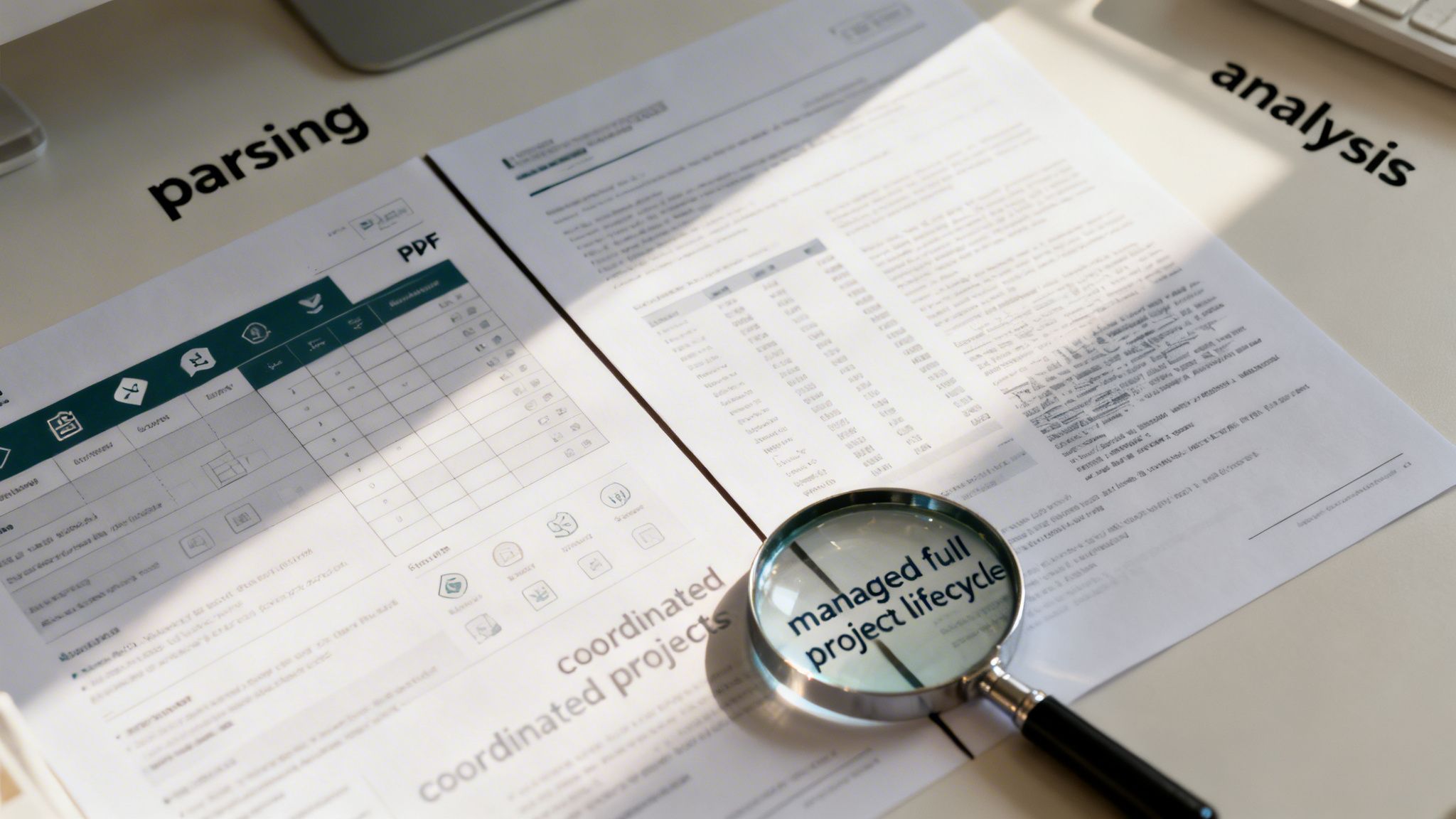
Ever wonder what actually happens when you hit "submit"? Your resume doesn't just pop into a recruiter's inbox. First, it has to pass the unblinking eye of an Applicant Tracking System. An ATS checker peels back the layers of your resume in a two-step process, mimicking exactly how real systems work to decide if you're a good fit.
It all starts with a technical handshake known as análisis sintáctico. Think of this as a translation step. The software takes your beautiful PDF or Word doc and strips it down into a plain, raw text file that a machine can actually understand.
This is where so many talented applicants get tripped up. The technology is built for speed, not for appreciating your design flair. Fancy formatting can easily confuse it.
The Parsing Process: What the Machine Really Sees
When the parser gets to work, it reads your resume top-to-bottom, left-to-right. But unlike a person, it has zero ability to understand visual context. It can't see columns and know they are separate. It can't appreciate a well-placed logo.
This is why certain design choices can turn a perfectly good resume into gibberish for the ATS.
Here are the most common culprits that cause parsing errors:
- Complex Tables and Columns: An ATS reads straight across the page. If you have two columns, it will mash them together into one long, confusing sentence.
- Images, Logos, and Graphics: These are simply invisible. Any info you’ve put into a graphic—like a skill-rating bar or a personal logo—is lost.
- Information in Headers and Footers: Many systems are programmed to ignore anything in the header or footer. If your contact info is up there, the recruiter may never see it.
- Unconventional Fonts: Stick to the classics. A stylish font might look great to you, but if the system can't recognize it, your words will turn into garbled characters.
Once the parser has done its job, the software has a "clean" (or not-so-clean) text version of your resume. Only then does it move on to the most critical stage.
The Analysis Phase: Matching Keywords and Context
With the text extracted, the ATS checker switches to analysis mode. This is where the real judgment happens. The software scans the text and compares it against the job description you're targeting. It’s hunting for the specific keywords, skills, and phrases the employer signaled are important.
And it’s not just a simple word search. Modern systems use Natural Language Processing (NLP) to understand the context behind the words. They’re trained to look for a few key things:
- Habilidades duras: Specific tools like "SAP" o "Salesforce", programming languages like "Python", and technical skills like "Data Analysis."
- Habilidades blandas: Important traits like "stakeholder communication," "team leadership," o "problem-solving."
- Job-Specific Jargon: Industry acronyms and titles, such as "PMP certification," "full project lifecycle," o "revenue growth."
Here's a thought: A common myth is that the ATS just counts keywords. In reality, it’s a sophisticated matching process that weighs certain terms more heavily based on the job description.
Let’s make this real. Imagine you're applying for a ‘Senior Project Manager’ role where the description asks for someone who has "managed the full project lifecycle" and excels at "stakeholder communication."
| Candidate Resume Phrasing | ATS Analysis & Result |
|---|---|
| "Coordinated various projects from start to finish." | Low Score. The word "coordinated" is too generic. It doesn't match the high-value phrase "managed full project lifecycle," so the system flags a weak connection. |
| "Managed full project lifecycle for five enterprise-level initiatives, ensuring clear stakeholder communication." | High Score. This is a bullseye. It uses the exacto phrases from the job description, creating a strong, undeniable match that the ATS will score highly. |
This is the secret behind how an ATS checker operates. It shines a light on the gap between the words you're using and the words the employer is looking for. Once you learn to speak the language of the ATS, you give your qualifications the best possible chance to be seen.
Speaking the Language of the ATS: Keywords and Context
You can’t just hope that a modern Applicant Tracking System (ATS) is smart enough to read between the lines. Sure, today’s software might know that “P&L management” and “financial oversight” are related. But leaving it up to the bot to connect those dots is a huge gamble. The only surefire way to get past the initial scan is to speak its language—by mirroring the exact terminology in the job description.
Think of yourself as a codebreaker. Your job is to meticulously pull apart the job posting to find the precise keywords the employer is searching for. This is where an ATS checker becomes invaluable, showing you exactly where the gaps are. Your goal isn't just to stuff these words in; it's to weave them into compelling, metric-driven achievements that prove your value.
The result is night and day. It turns a generic resume into a targeted document that satisfies the software and, more importantly, impresses the human on the other side.
From Vague Responsibilities to High-Impact Accomplishments
Let's walk through a real-world example. Imagine you're a sales pro applying for a role that heavily emphasizes "revenue growth" and "CRM strategy."
Antes:
- Responsible for increasing sales and managing customer relationships.
This is way too vague. An ATS might miss the keyword match, and a recruiter will just skim right past it, totally unimpressed.
Después:
- Drove a 15% year-over-year revenue increase by designing and implementing a new CRM strategy that improved lead tracking and conversion rates.
Now that gets attention. This version hits the keywords—"revenue increase" y "CRM strategy"—guaranteeing a high ATS match score. It also presents a concrete achievement with a hard number, which is exactly what a hiring manager wants to see.
A veteran recruiter I know puts it this way: "Metric-driven statements that use the employer's own language are the holy grail. They prove you meet the technical requirements for the ATS and show me you deliver real-world results. It's the fastest way to get on my 'yes' pile."
This is how you build a resume that speaks to both the bot and the boss.
Finding the Right Keywords to Use
Every job description is a road map pointing to the keywords you need. You're looking for three main types of terms to integrate into your story.
1. Hard Skills
These are the non-negotiable, teachable abilities needed for the job. They're usually the easiest to find and are critical for passing that first ATS filter.
- Ejemplos: Python, Salesforce, SEO, Financial Modeling, Graphic Design, SAP, PMP Certification.
- How to use them: "Managed a digital marketing budget of $500k, optimizing paid search campaigns through advanced SEO y Google Analytics techniques."
2. Soft Skills
These are the interpersonal skills that show how you work. They might seem harder to prove on a resume, but they are just as important to the ATS and are a primary focus for human screeners.
- Ejemplos: Stakeholder Communication, Team Leadership, Problem-Solving, Adaptability, Time Management.
- How to use them: "Enhanced cross-functional collaboration by leading weekly project meetings, improving stakeholder communication and ensuring all deadlines were met."
3. Company-Specific Jargon
Pay attention to any internal terms or specific tools mentioned. Using these shows you've done your research and are already thinking like part of the team.
- Ejemplos: "Agile-Scrum methodology," "OKR framework," "Net Promoter Score (NPS)."
- How to use them: ""Contribuyó a una 10-point increase in our team's Net Promoter Score (NPS) by revamping the customer feedback loop."
But even with a perfectly keyword-optimized resume, the battle isn't over. With 99% of Fortune 500 companies using an ATS, getting past the bot is just the first step. After that, recruiters spend a mere 6-8 seconds scanning your resume. On top of that, 19% of companies now use AI for a second screening, and a staggering 80% of recruiters say they can instantly spot generic, AI-written content, according to a recent industry report on ResumeGenius.com.
By carefully weaving these keyword types into your achievements, your resume makes a powerful case. To go even deeper, check out our guide on using strategic resume keywords to beat the ATS and impress recruiters.
Formatting Mistakes That Make Your Resume Invisible
It’s a frustrating thought: you could be the perfect candidate, but your resume never even makes it to a human. This happens more often than you’d think, and the culprit is usually the Applicant Tracking System (ATS). If this software can’t read your resume, your qualifications might as well be written in invisible ink.
The initial ATS scan isn't judging your experience; it's a purely technical step. The software is just trying to parse your document into a structured profile. Simple design choices that look great to us can completely throw it for a loop.
Why Simplicity Wins With an ATS
Think of the ATS as a very literal-minded robot that reads from top to bottom, left to right. It can't interpret visual hierarchy. It doesn't see fancy columns or tables—it just sees lines of text. When it hits something it doesn't recognize, it will either jumble the information or skip it entirely.
This is exactly why a clean, single-column resume is the gold standard. It creates a clear path for the software, ensuring every bit of your valuable experience is read and categorized correctly.
The Most Common Formatting Traps
Certain design elements are notorious for causing these parsing errors. In fact, a staggering 43% of resumes are rejected by an ATS because of formatting problems alone. Simply avoiding these common traps will put you way ahead of the competition.
Here’s what to watch out for:
- Tables and Columns: This is the biggest offender. The ATS often reads straight across a two-column layout, mashing the text from both columns into a single, nonsensical sentence.
- Encabezados y pies de página: Many systems are programmed to ignore text in the header or footer. If that’s where you put your contact info, the hiring manager may never see it.
- Graphics, Logos, and Icons: An ATS can’t read images. Any skills you represent with a star-rating system, a logo, or an icon will be completely invisible.
To really nail this, take a look at our complete guide on building an Formato de currículum compatible con ATS that covers everything you need to know.
Consejo profesional: Want a quick way to see what the ATS sees? Save a copy of your resume as a plain text (.txt) file and open it. If the text is jumbled, out of order, or missing information, you’ve got a formatting problem.
ATS Formatting Do's and Don'ts
To make this crystal clear, here’s a quick reference table. Stick to the "Do" column, and you can feel confident that your resume is scannable and safe from automatic rejection.
| Elemento de formato | ATS-Friendly Practice (Do) | ATS-Unfriendly Mistake (Don't) |
|---|---|---|
| Disposición | Use a single-column format from top to bottom. | Use multiple columns or tables to organize sections. |
| Fuentes | Stick to standard fonts like Arial, Calibri, or Georgia. | Use custom, script, or highly stylized fonts that may not be recognized. |
| Tipo de archivo | Save as a .docx or a text-readable .pdf file. | Submit a .jpg, .png, or an image-based PDF. |
| Información de contacto | Place your contact details in the main body of the resume. | Put your name, email, or phone number in the header or footer. |
| Títulos de las secciones | Use traditional headings like "Work Experience" and "Education." | Use creative titles like "My Professional Journey" or "What I've Learned." |
| Visuals | Rely on plain text and standard bullet points (circles/squares). | Include logos, skill-rating bars, photos, or other graphics. |
Getting your resume past the ATS isn't about creating a boring document; it's about prioritizing function so a person actually gets to see your qualifications. By understanding how these systems work, you ensure your resume lands in the "yes" pile.
Putting an ATS Checker to Work: A Practical Workflow
Knowing how an ATS works is one thing, but actually getting it to work for you is what lands interviews. Think of an ATS resume checker as your secret weapon—a tool that lets you test-drive your resume against a specific job before you send it into the great unknown.
This simple workflow helps you see your resume through the eyes of the machine. By comparing your resume directly against a job description, you can find and fix the exact gaps that would otherwise get your application tossed out. This isn't about gaming the system; it's about translating your experience into the language the recruiter and their software are looking for.
Step 1: Zero In on Your Target Job
First things first: pick one job you genuinely want. Forget creating a generic, one-size-fits-all resume. The magic here lies in specific, targeted adjustments, and that always starts with a single job description.
Step 2: Run the Initial Comparison
Alright, let's get down to it. This is where you get your first look at how you stack up.
- Head over to an Comprobador de currículum ATS.
- Copy the entire text of your resume and paste it into the resume field.
- Next, copy the entire job description for your target role and paste it into its box.
Click "scan" and let the tool do its thing. It will spit out a baseline score and a detailed report.
Step 3: Analyze Your Score and Missing Keywords
This is where the real work begins. Your first instinct might be to fixate on the score, but the real gold is in the details—specifically, the list of missing keywords and skills.
While aiming for a score above 80% is a great goal, the list of missing terms is your action plan. These are the exact words the employer’s system is scanning for. Your job is to close that gap.
A low initial score isn't a bad thing. It's a roadmap. It tells you exactly what language the employer values for this role, giving you a precise guide for what to fix.
The journey your resume takes is a perfect illustration of this. A poorly formatted or keyword-thin document gets stopped dead, while an optimized one sails right through to the hiring manager.
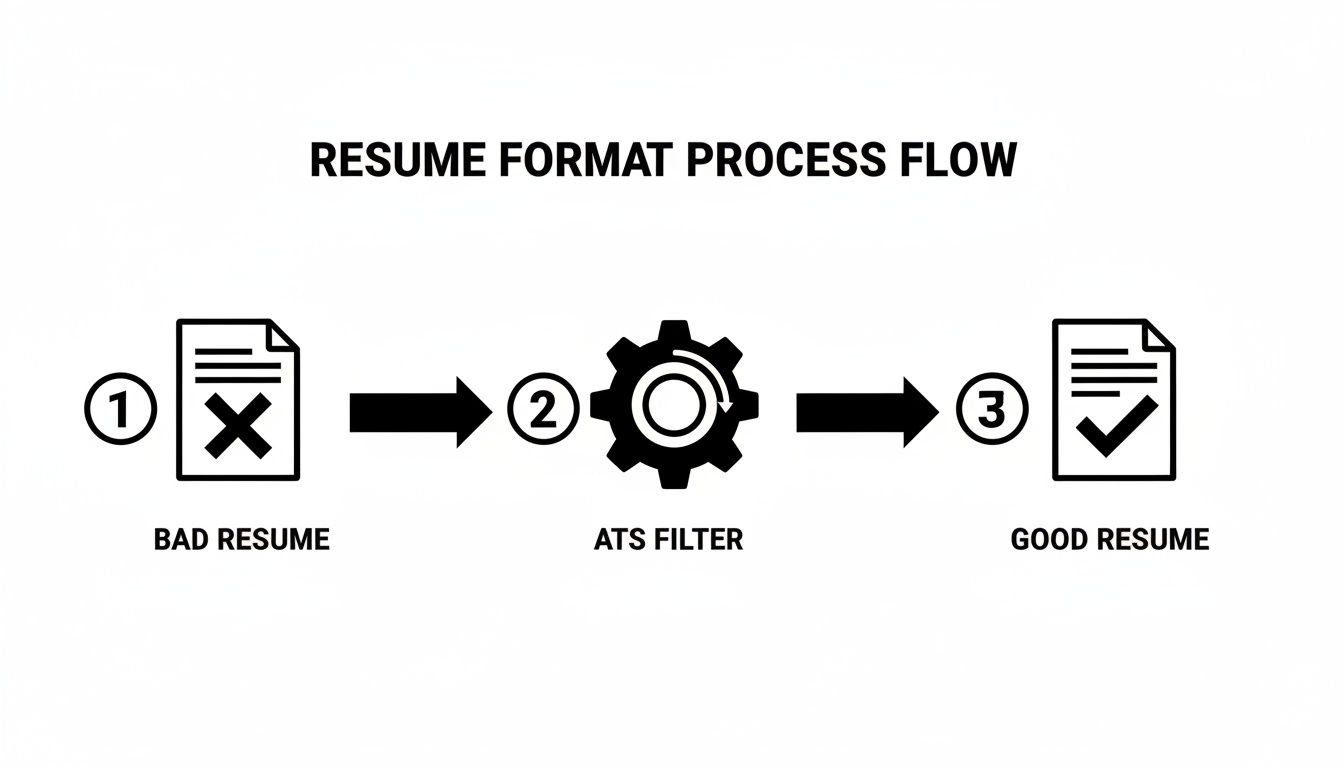
Step 4: Weave in Keywords and Reframe Your Experience
Now, let's start weaving those missing keywords into your resume. The trick is to make them sound natural. Don’t just dump them into a "skills" section; integrate them directly into your work experience bullets.
Let's imagine a teacher trying to transition into a corporate training position.
The Job: Corporate Trainer
Missing Keywords: Instructional Design, Comunicación con las partes interesadas, Learning Management System (LMS)
Here’s how she could translate her classroom experience for a corporate audience:
| Original Teacher Resume Bullet | Reframed for a Corporate Role |
|---|---|
| Planned daily lessons for students. | Desarrollado y ejecutado instructional design for comprehensive learning modules. |
| Held parent-teacher conferences. | Administrado stakeholder communication to align on training goals and report progress. |
| Used Google Classroom for assignments. | Leveraged a Learning Management System (LMS) to deploy and track training materials. |
See the difference? She’s not just adding words; she’s reframing her skills. "Lesson planning" becomes "instructional design." "Parent-teacher conferences" become "stakeholder communication." The language now clicks with both the ATS and the corporate hiring manager.
Step 5: Fix Formatting and Run a Final Check
Last but not least, clean up any formatting issues the checker flagged. Stick to standard, simple fonts. Get rid of tables or columns. And make sure your contact info is in the body of the resume, not tucked away in the header or footer.
Once you’ve updated your resume, run it through the checker one last time. You should see a much higher match score. Now you can hit "apply" with confidence, knowing you’ve given your resume the best possible chance to beat the bots and get into human hands.
Optimizing for a Human After You Beat the Bot
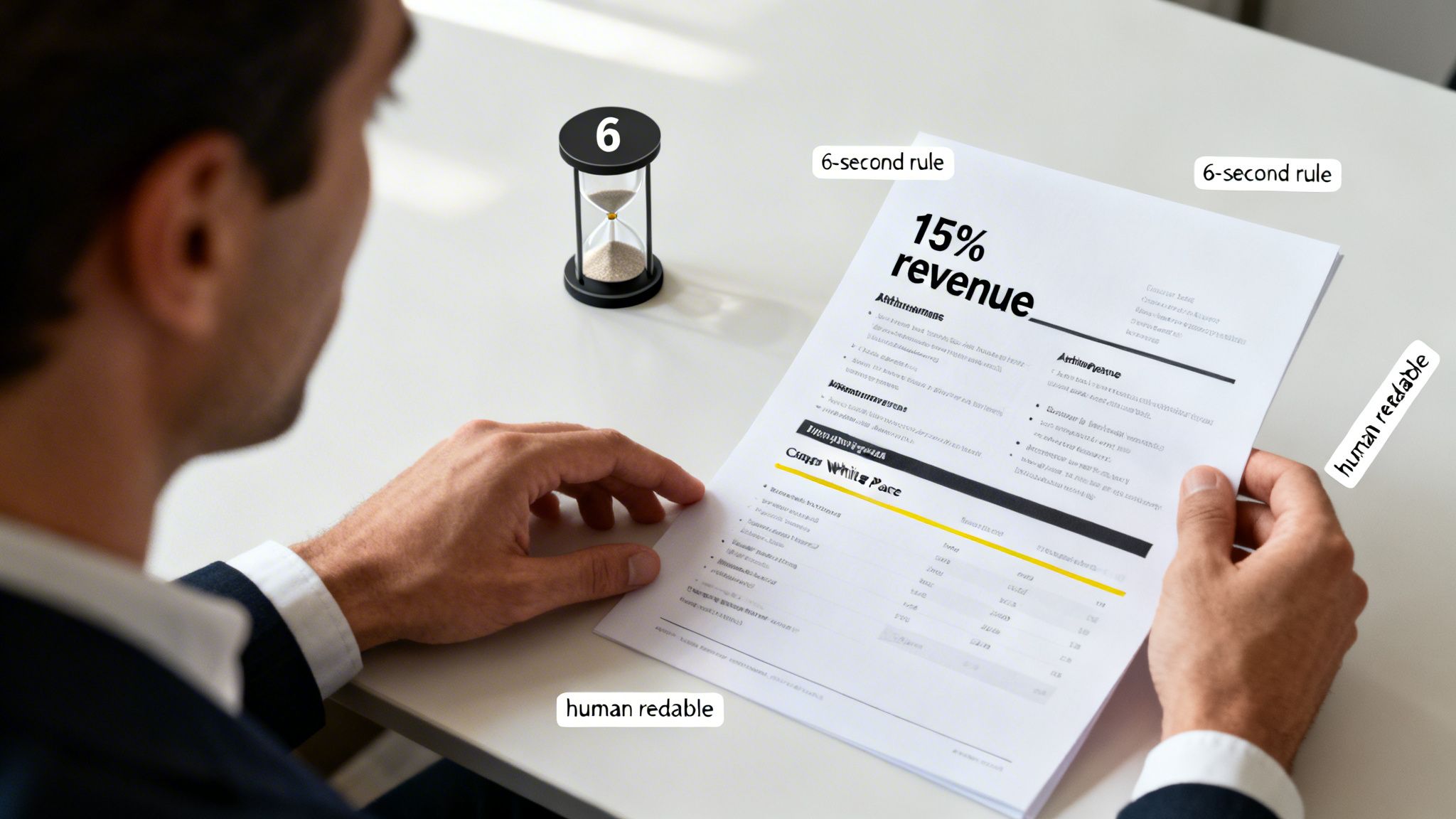
Getting a high ATS score is a great first step, but the job isn't done. Think of it as passing a checkpoint; the real challenge is convincing the person on the other side. An 85% match score won't get you far if your resume is a jumbled mess of keywords that no human can actually read.
Once you’ve made it past the software, you have to win over the hiring manager. This requires a smart balance—your resume needs the right keywords for the algorithm while also telling a compelling story.
Surviving the 6-Second Scan
When your resume finally lands in a recruiter’s inbox, a new clock starts ticking—and it’s a fast one. Studies show that recruiters spend an average of just six to eight seconds on their initial review. In that tiny window, your resume has to make an impact.
A document stuffed with keywords but lacking any visual appeal will fail this test instantly. A real person needs a clear visual path to follow. This is where good formatting is your secret weapon.
To make sure your resume is scannable and persuasive, keep these simple rules in mind:
- Use Bold Text Strategically: Make your most important details pop. Bold your job titles, company names, and especially your best results (like "slashed costs by 22%").
- Embrace White Space: A crowded page is an unreadable page. Generous margins and space between sections make your resume feel less intimidating and easier to skim.
- Lead with Powerful Verbs: Kick off your bullet points with action words that convey impact, like "Orchestrated," "Negotiated," or "Engineered."
Weaving Keywords into Human-Friendly Achievements
The most effective way to satisfy both the bot and the human is to embed your target keywords directly into achievement-focused bullet points. This checks the box for the ATS while providing the concrete proof that recruiters are looking for. You can see great examples in our guide on Puntos clave del currículum con ejemplos de métricas.
This approach is especially critical if you're changing careers. Tailored resumes see a 55.3% higher recruiter preference, which can be the deciding factor in competitive markets where up to 75% de currículums are filtered out before a human even sees them.
Recordar: The goal is to create a dual-purpose document. It must be technically formatted for the machine and, at the same time, be engaging and persuasive for the person who makes the final hiring decision.
For more personalized guidance on navigating your career path, you might also consider the benefits of orientación profesional. In the end, your resume needs to do more than just list your skills—it needs to sell your unique story.
Frequently Asked Questions About ATS Checkers
Once you start using an ATS checker, a few nagging questions always seem to pop up. Let's tackle the most common ones so you can move forward with confidence.
Do I Really Need to Use a Checker for Every Job?
I get this question all the time. The short answer is, if you're applying online to any medium or large company, then yes, you absolutely do. Nearly all of them use an ATS, and sending an unoptimized resume is like buying a lottery ticket and hoping your numbers get called.
If you got a direct referral or you're applying to a tiny startup, it's less critical. But even then, running a quick check is a great habit to make sure your resume is clear and professional.
Can an ATS Detect Keyword Stuffing?
You bet it can. The old trick of cramming a bunch of keywords into your resume—or worse, hiding them in white text—is a fast track to the "no" pile. Modern ATS are smart enough to spot that kind of unnatural repetition.
Even if you somehow sneak past the bot, a human recruiter will see it in a heartbeat. It comes across as lazy and a bit dishonest.
The real goal isn't to trick a machine. It's to naturally weave keywords into your accomplishments, showing how your experience lines up with what they need. Authenticity always wins.
Focus on telling the story of your achievements with real-world examples. When you do that, the right keywords will naturally become part of the narrative.
What Is a Good ATS Match Score to Aim For?
It’s easy to get obsessed with hitting 100%, but you don’t need to. A great rule of thumb is to aim for a score of 80% or higher. This shows a strong alignment with the job description, marking you as a serious contender.
Any score below 70% should be seen as a major red flag. It’s a sign that your resume either has big gaps or is being misread by the software. Here’s a simple breakdown of what those scores really mean.
| Match Score | Qué significa | Your Next Step |
|---|---|---|
| 80%+ | Strong match. Your resume aligns well with the job. | Submit with confidence! |
| 70-79% | Decent match, but room for improvement. | Review missing keywords and rephrase a few bullets. |
| Below 70% | High risk of rejection. Major gaps or parsing errors. | Time for an overhaul. Focus on targeted keywords and formatting. |
Stop guessing and start getting interviews. With JobWinner, you can automatically tailor your resume for any job, generate custom cover letters, and track your applications all in one place. ¡Empiece a utilizar JobWinner hoy mismo!